
Integration Manager Overview

Overview #

The Integration Manager is the orchestration interface within SiPHON Platform responsible for:


For a quick walkthrough of the interface Click Here

Integrations health and stats #

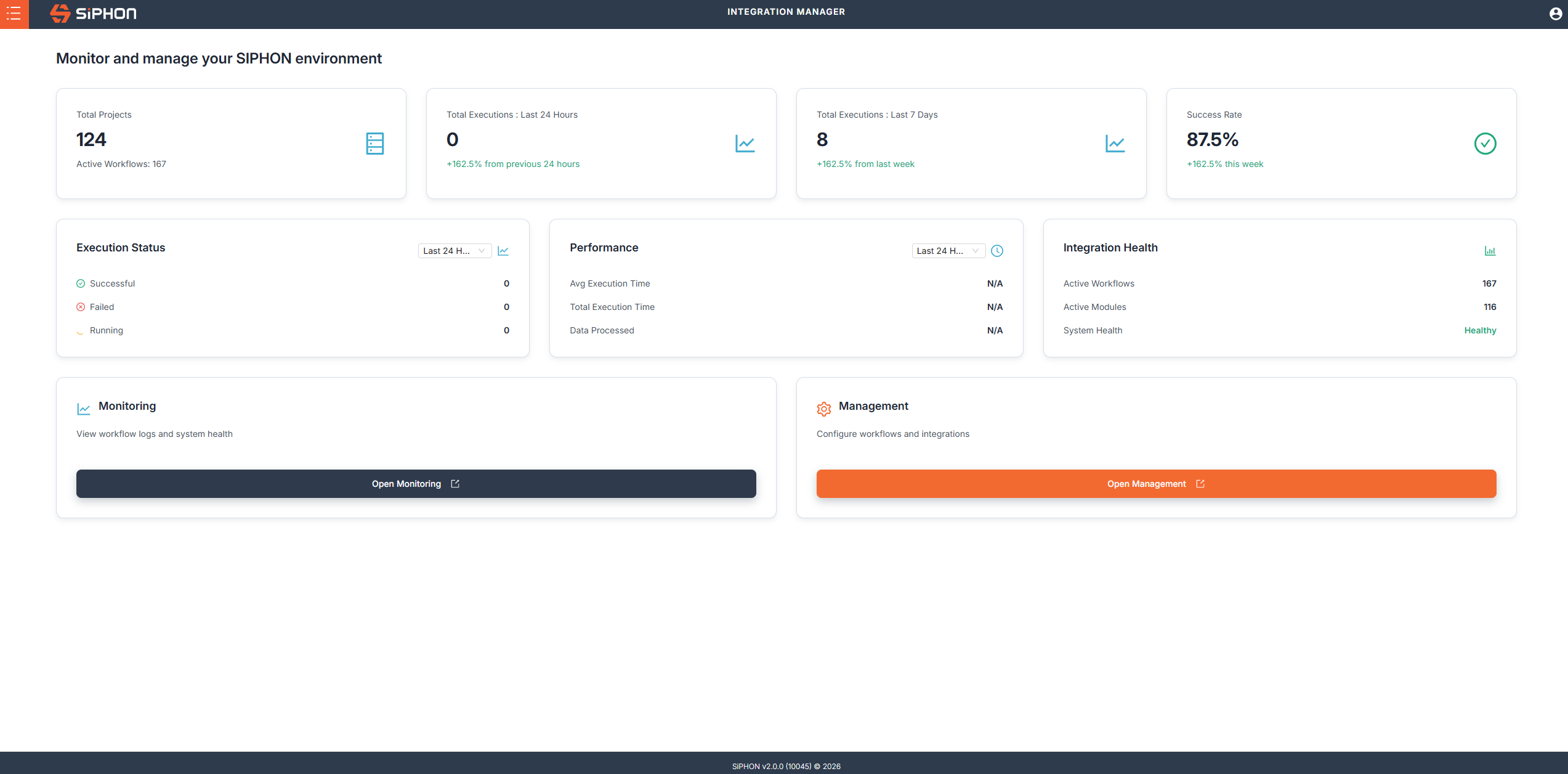
When you login to SiPHON platform you’ll be taken to the integration manager home page. This page displays the health of your tenant as well as stats for the workflows you have running in your tenant. You will be able to see:

  • Number of Projects
  • Active Workflows
  • Executions for the last 24 hours & 7 days
  • Success rate of your workflows
  • Execution Statuses
  • Performance
  • Integration health
Click the image for a larger view

Managing Projects #

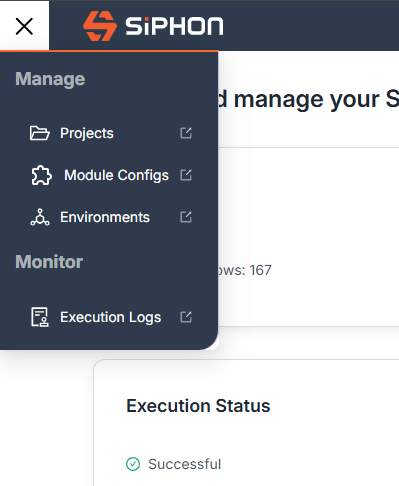
From the Integration manager you can manage your Projects from by accessing them from two different ways

  • Use the Menu to select Projects
  • Clicking on the Open Management button from the home page of the Integration menu

Click on Projects from the menu to access your Projects
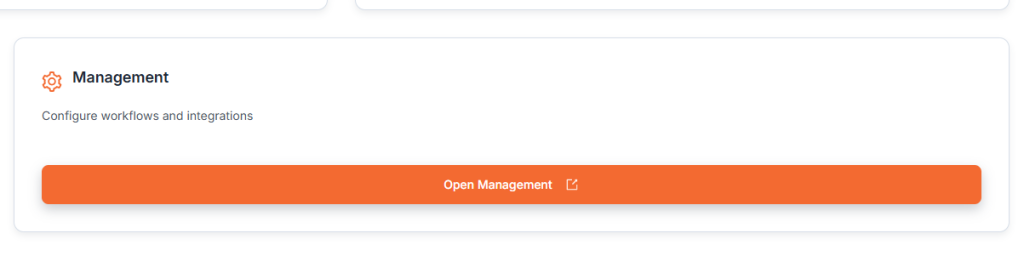
Click on Open Management to access your Projects

Configuring Modules #

Manage your Module configs by accessing them from the menu. Module Configs allows you to config manage for Module Configs for different Modules and Environments. For more information on Module Configs go to Modules Overview

Click here to access your Module Configs

Configuring Environments #

Manage your Environments by accessing them from the menu. for more information on Environments go to Environment Variables

Click here to access you Environment variables

Monitoring #

The Monitoring interface allow you to track the executions of your workflows. For information on Monitoring go to Monitoring

Click on Execution Logs to monitor the workflow executions
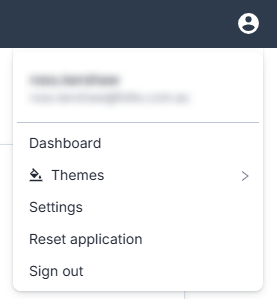
Customise the Interface #

Use the user menu to customise the theme of the UI or for adjusting settings

Click here to change the UI theme

Integration Manager Walkthrough #

Was it helpful ?
Updated on May 29, 2026
en_USEnglish